Unlocking Creativity with Watercolor Clipart Floral Digital Flowers
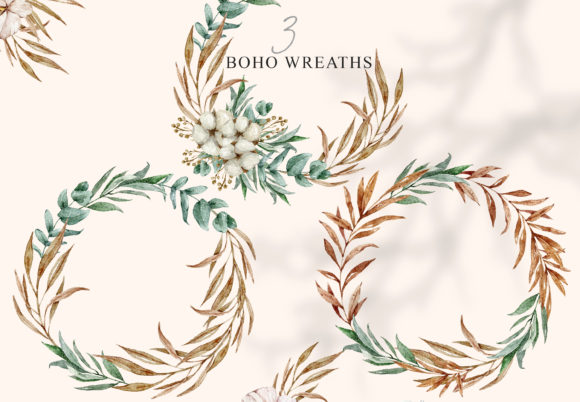
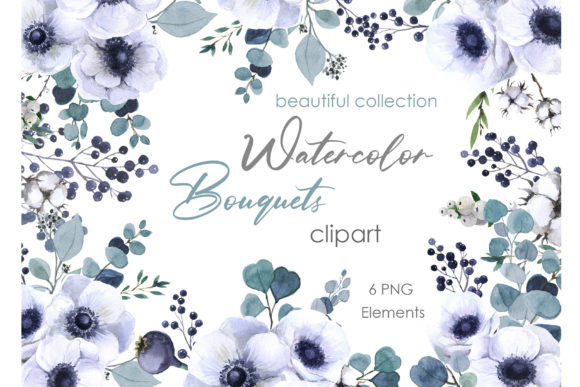
In the world of digital design, finding assets that blend artistic elegance with practical versatility is a key challenge. A collection of Watercolor Clipart Floral Digital Flowers, such as a set featuring white anemones with eucalyptus and cotton on a transparent background, offers a solution. These aren't just pretty pictures; they are professional-grade, high-resolution tools. For creators, entrepreneurs, and hobbyists, they represent a bridge between beautiful artistry and functional design, enabling you to craft unique postcards, wedding decor, branded merchandise, or social media content without the steep cost of custom illustration.
The Hidden Details That Define Quality
A common oversight when purchasing digital floral clipart is focusing solely on the aesthetic appeal in the preview image. The actual utility is defined by technical specifications many beginners miss. For example, a listing promising "PNG elements 300 dpi each" is crucial. DPI (dots per inch) refers to resolution. 300 DPI is the standard for professional printing, ensuring your designs on cups, posters, or wedding invitations look sharp and crisp, not pixelated or blurry. A set described as "Length 8 inches Width 7 inches" at 300 DPI gives you the physical dimension context, meaning each flower element is large enough to be used as a focal point without needing enlargement that degrades quality.
Another frequent misunderstanding is the "transparent background." A true transparent background in a PNG file means the floral element has no white or colored box around it. This allows you to place the anemones and eucalyptus seamlessly onto any design background—a dark poster, a colored bag, a textured wedding invitation—without awkward, manual cutting. However, some low-quality clipart might have poorly erased edges or residual pixels. Before finalizing a project, always test one element on a contrasting background to check for cleanliness.
Navigating the Digital Download Process
The phrase "Files will be available for download shortly after your payment is accepted" seems straightforward, but a common frustration point is file management. You typically receive a ZIP file. Immediately after download, extract the contents to a dedicated folder on your computer. A mistake is leaving the files compressed and then trying to import them directly into design software like Canva, Adobe Illustrator, or Photoshop, which can cause errors or only allow access to one file. Organizing the six separate PNG files from the start streamlines your workflow.
Furthermore, understand what you are—and are not—purchasing. The note "Please note that no physical item will be sent" is explicit, but it's wise to internalize the implications. This is a license to use the digital artwork, not a transfer of copyright. Most sellers allow use for personal and commercial projects (like making postcards or cups to sell), but reselling or distributing the raw PNG files themselves as your own clipart is prohibited. Always respect the creator's terms, which are usually found on the product page.
Strategic Application for Maximum Impact
Using these floral elements effectively requires more than just dragging and dropping. A common poor result stems from over-cluttering. A set with multiple elements—like separate anemones, eucalyptus sprigs, and cotton bolls—is designed for composition. A better approach is to start with a focal point, perhaps a single large anemone, and use the smaller elements as accents. This creates balance and professional polish, whereas scattering all six items randomly can make a wedding invitation or bag design look chaotic and amateurish.
Color consideration is another overlooked detail. This specific set is "White Green Floral." The white anemones are likely on a white or lightly tinted watercolor background, not pure stark white. When placing them on a white project background, they might appear to "disappear." To avoid this, use a subtle shadow effect offered by your design software, or place them on a very light pastel or gray area. This maintains the delicate watercolor feel while ensuring visibility. For marketing materials or blogs, this contrast is essential for clear communication.
From Download to Finished Project: A Practical Path
Let's walk through a realistic example to correct common missteps. Imagine you're a small business owner creating branded thank-you cards. You've downloaded this white anemone clipart set.
Mistake Approach: You open the ZIP file in your downloads folder, open one PNG directly, and paste it onto a blank card template. It looks small. You stretch it to fill the space, and it becomes blurry. You add all the other five elements around it, filling every corner. The card looks busy, and the beautiful watercolor detail is lost.
Better Approach: First, extract all PNGs to a "Project Assets" folder. Open your design software and create a card template. Select the largest, most detailed anemone PNG. Import it at its native size (referencing the 8x7 inch description). Since it's 300 DPI, it will be large and high-quality. Position it as a central, elegant anchor. Then, import one eucalyptus element. Scale it down slightly (scaling down from 300 DPI retains quality) and place it subtly behind the anemone. Use a third element, like a cotton boll, sparingly as a small accent in the corner. The result is a balanced, professional card that highlights the artwork's quality and your brand's taste.
Essential Checks Before You Begin
Before committing to using any Watercolor Clipart Floral Digital Flower set for your project, run these quick checks. First, verify the intended use matches your project's output. If you're printing physical items like posters or cups, the 300 DPI and transparent background are non-negotiable. If you're only creating digital graphics for a blog, a slightly lower DPI might suffice, but high-resolution future-proofs your work.
Second, assess the artistic cohesion. Does the soft watercolor style of white anemones match your brand or event's aesthetic? Using harsh, geometric fonts with delicate watercolor flowers can create a disjointed feel. Pair these illustrations with gentle script or serif fonts and muted color palettes for a harmonious design.
Finally, plan your file hierarchy. With six separate files, you have the flexibility to create multiple design variations without starting over. Save different compositions as new project files. This leverages the full value of your download, allowing you to create a cohesive suite of materials—matching wedding invitations, decor signage, and thank-you cards—all from one intelligent purchase.
By paying attention to these technical and artistic details, you move from simply buying a digital product to strategically investing in a design resource. This set of white anemones isn't just clipart; it's a versatile partner for your creativity, enabling you to produce unique, high-quality work that stands out for its elegance and professionalism. If any questions arise during your process, reaching out to the illustrator for clarification, as suggested, is a sign of a proactive and savvy creator, ensuring your vision is realized without compromise.